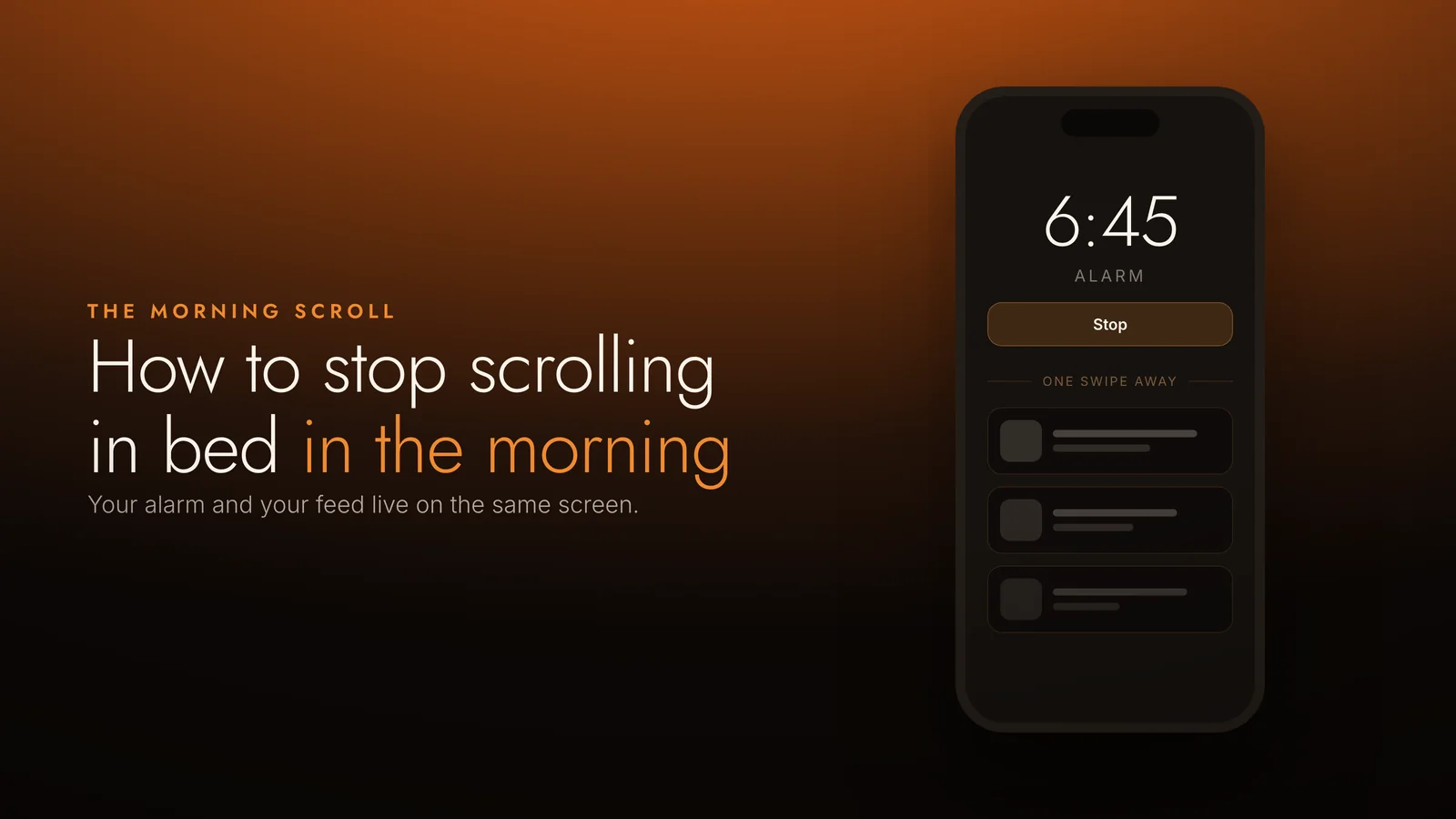
Here is the short version. To stop scrolling in bed in the morning, you have to separate the alarm from the feed. Not the phone from the bedroom, which most people won't do and shouldn't have to. The alarm from the feed. Every fix below is a different way of doing that, and they cost you wildly different amounts.
I built a morning app, so I have read a lot of these guides. They are mostly good advice pointed at the wrong time of day.
Why the usual advice fails in the morning
Search for this problem and you get night-time content. I ran the query again this week: the results are about scrolling instead of sleeping, blue light, revenge bedtime procrastination. Two of the pages that look morning-specific, including one titled for people whose phone is their alarm, are night-time articles underneath.
That matters because the two habits have opposite mechanics.
At night, you are avoiding sleep. The scroll is the thing you want, and sleep is the thing you are putting off. You are also fully awake while you do it, which means you can be reasoned with. Advice like "put the phone across the room" works at night because at 11pm you are a person capable of standing up.
In the morning, you are avoiding getting up. The scroll isn't really the thing you want. It's the thing that lets you not move yet. And you are at the worst cognitive moment of your entire day while you decide.
Then there's the practical problem. At night you can put the phone in the kitchen, because nothing needs you. In the morning the phone is your alarm. "Leave it in another room" isn't a free suggestion, it's asking you to buy a second device and trust it. Nobody prices that honestly, so most readers try it for two nights and quit.
At night you're avoiding sleep. In the morning you're avoiding getting up, and the phone that wakes you is the same phone holding the feed.
What your brain is actually doing in the first fifteen minutes
There's a name for the state you make this decision in: sleep inertia. It's the grogginess window right after waking, when reaction time and decision-making are measurably worse than they will be all day.
A nationwide study of 2,355 adults published in PLOS ONE in January 2026 put the average morning sleep inertia at 15.8 minutes. That is the window in which you are choosing whether to open Instagram.
One finding in that study is worth sitting with. Participants with anxiety reported their grogginess lasting 14.3 minutes longer than those without, the largest single effect the researchers measured. If you wake up with a knot in your chest about the day ahead, your window of bad judgement runs roughly twice as long, and the thing you reach for is the thing that feeds the knot.
Stack one more thing on top. In most healthy people cortisol climbs somewhere between 38% and 75% in the first half hour after waking, peaking around the 30 to 45 minute mark. That happens on its own, whatever you do. Your phone does not cause it. But it does mean the feed reaches you during a window your body already spends winding itself up, which is why fifteen seconds of bad news at 6:45am lands differently than the same fifteen seconds at 2pm. I wrote about the three signs that convinced me this was a real problem, and that was the one I couldn't argue with.
So: sixteen minutes of degraded judgement, a rising stress hormone, and a device in your hand that you had to pick up to turn the alarm off. Willpower is not a plan for that moment. Design is.
Five fixes, ordered by what they cost you
These are in order of price, not effectiveness. Start at the top. Most people need two of them, not five.
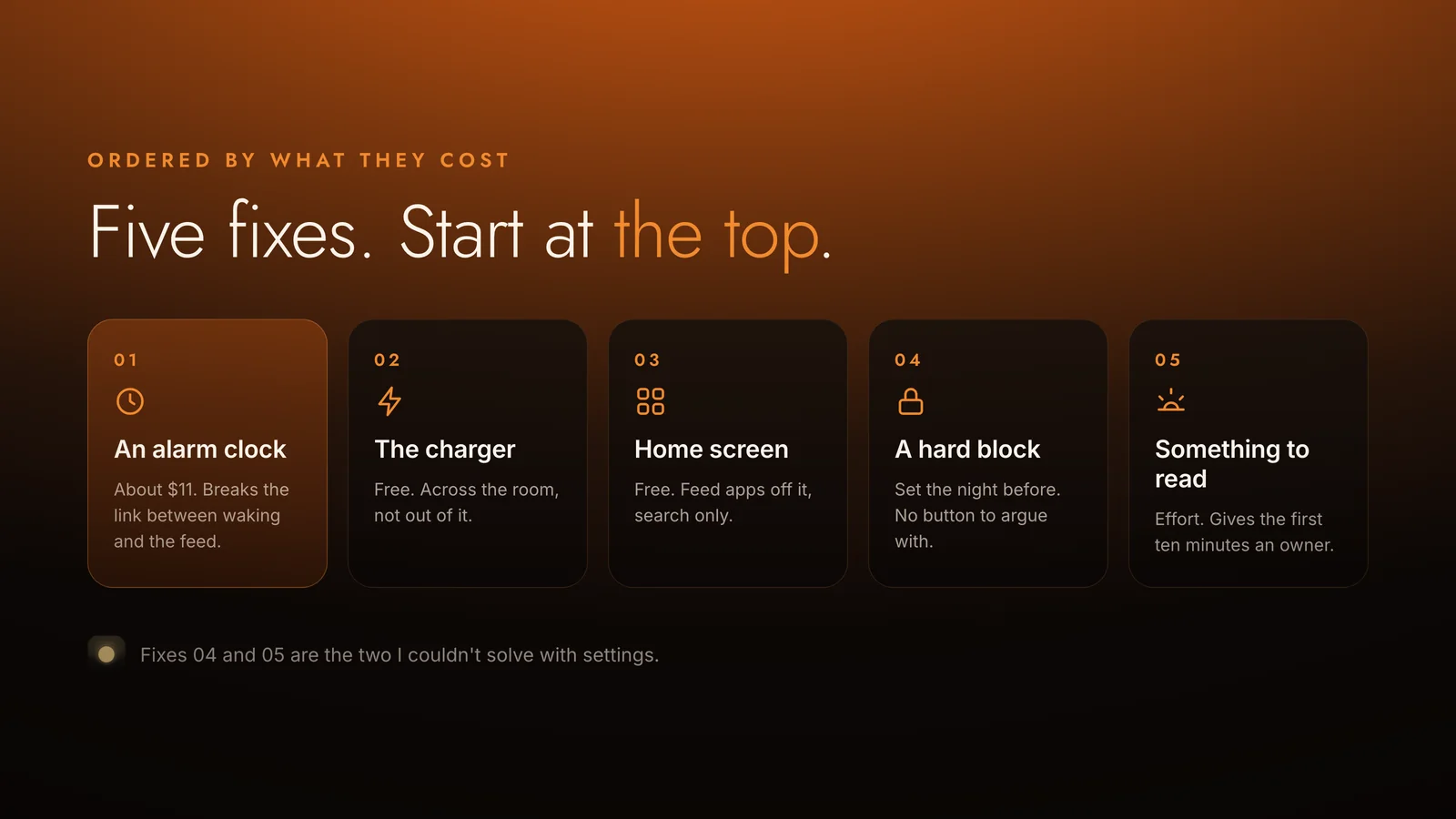
Buy an alarm clock. It costs about $11.
This is the whole ballgame and it is almost free. An Amazon Basics digital alarm clock was $11.19 in early November 2026. A sunrise clock is nicer and runs $30 to $70, but any clock breaks the link.
The reason this is first is that every other fix on this list is harder while the alarm still lives on your phone. You cannot put the phone out of reach if it has to wake you. Remove that one dependency and the rest get easy.
Move the charger out of arm's reach, not out of the room
Across the room is enough. The point isn't distance, it's that reaching it requires standing up, and standing up is the thing sleep inertia is stopping you from doing. Once you're vertical, the scroll loses most of its pull.
"Another room" is the version of this advice that fails, because it also means you can't hear a call from your family at 3am. Same bedroom, wrong side of it, is the version people actually keep doing.
Change what's on the phone, not just where it is
If you are going to hold the phone anyway, the first screen matters more than the rules. Take the feed apps off your home screen entirely and leave them only in search. Three extra seconds of friction at full alertness is nothing, but at minute four after waking it's often enough.
This one is free and nobody does it, because it feels too small to matter. It matters in proportion to how impaired you are, which is a lot.
Put a hard block on a timer, decided the night before
The version that works is one you set while you are a competent adult and cannot renegotiate while you are not. The key word is hard. More on why in the next section, because this is where most people's setup quietly fails.
There are a few shapes of this. A scheduled block that runs for a fixed window. A physical NFC tag or device you have to go tap. Some apps gate your feed behind a step count, which is a genuinely clever version if you're a walker.
Give the first ten minutes a different owner
A block with nothing behind it just relocates the restlessness. You reach for the phone in the morning for real reasons: you want to know what today holds, whether anything broke overnight, how badly you slept. Those are reasonable things to want at 6:45am.
So answer them somewhere that isn't a feed. One place, once, and then you're done checking. This is the expensive one in effort, and it's the only one that lasts.
Why a soft limit loses at 6:45am
Most people reading this have already tried Screen Time, concluded it doesn't work, and blamed themselves. It isn't you. The default configuration is designed to be dismissed.
Here's the exact mechanism, because this is the part no article on page one explains.
Set an App Limit or Downtime with no Screen Time passcode, and when you hit the wall iOS offers you a button. Tap it and you choose One More Minute, Remind Me in 15 Minutes, or Ignore Limit For Today. No confirmation, no friction, no passcode. The limit asks you to stop. It does not stop you.
The setting that makes it bite is called Block at End of Limit, and here is the detail that explains everything: it only appears once you've set a Screen Time passcode. Until then the toggle isn't hidden in a submenu, it doesn't exist. So the hard version of Screen Time requires you to set a four-digit code on yourself, which you will then remember at 6:45am, because you chose it.
None of this changed with the iOS 27 overhaul. The dismiss button survived it.
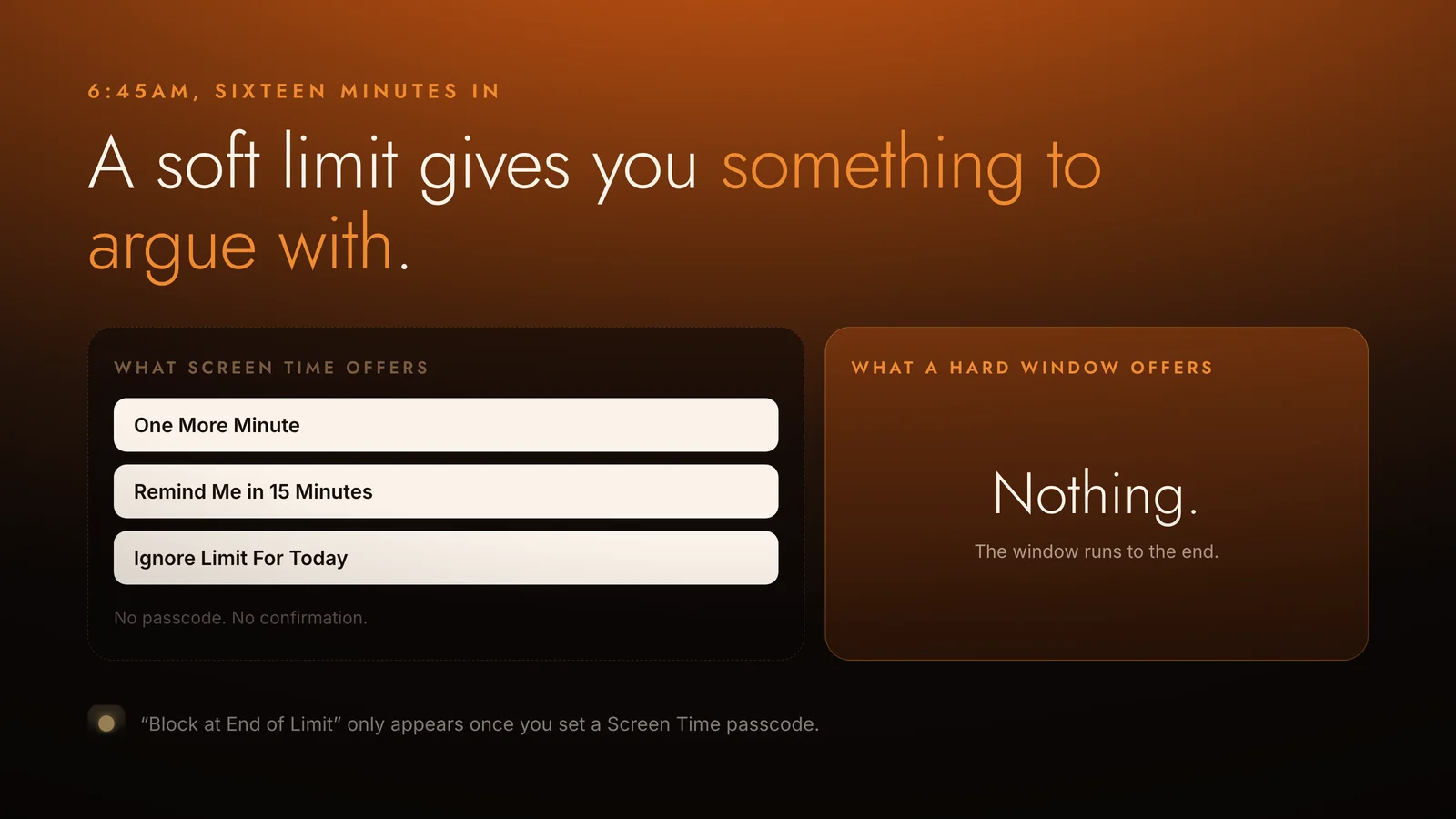
This is the whole reason a soft limit loses in the morning specifically. A dismissible block is a negotiation, and it schedules that negotiation for the sixteen minutes when your judgement is at its worst. The person who set the limit last night and the person tapping "Ignore Limit For Today" are in completely different states, and only one of them is awake.
What Screen Time can actually do, if you set it up properly
I should be fair here, because Screen Time gets dismissed too easily by people selling alternatives.
It is free, it is built in, it works across your iPad and Mac, and the passcode plus Block at End of Limit combination is a real block. If you are disciplined enough to set a passcode you won't use, Screen Time is genuinely enough, and you should not pay anyone for this. Set Downtime for your wake window, add a passcode, turn on Block at End of Limit, and stop reading.
The honest caveat applies to every app in this category, mine included. Software blockers on iOS are built on the same Apple framework, Family Controls, and that means they share an escape hatch: revoke the app's Screen Time permission in Settings, or delete the app, and the block comes off. No App Store app can close that door. Apple doesn't allow it, and anything claiming otherwise is overselling. I've written up how oneTap, Opal, Brick and one sec each handle this, including the one that sidesteps it by not being software at all.
What actually differs is whether there's an early-unlock button inside the app, because that's where almost everyone gives in. Deleting an app and re-authorizing permissions at 6:50am is a different decision from tapping one button.
Where oneTap fits
I built oneTap because fix 04 and fix 05 were the two I couldn't solve with settings, and they're the two that matter most.
You wake up and read a two-to-three-minute brief: how you slept and recovered from WHOOP, Oura or Apple Health, your calendar, the emails that actually matter, the weather, your balances, five headlines, your tasks. Then you tap "Start my day" and the apps you picked go dark for the window you chose, anywhere from 15 minutes to 8 hours. Ninety minutes is the sweet spot for most people.
Two things about that are deliberate. The brief comes first, so the questions that send you to the feed are already answered before anything locks. And there is no early-unlock button in the app. No "one more minute", no "ignore for today". The window runs to the end.
Nothing is blocked by default, either. You pick each app, or a whole category like Social. Phone, Messages, Maps and anything you didn't pick stay open the entire time, which is the objection everyone has and the answer is boring.
Try this tomorrow, with no app at all
Two things, tonight:
- Put whatever clock you own on the nightstand and set it. Even a kitchen timer.
- Plug the phone in on the far side of the room.
That's fixes 01 and 02, and it costs you one trip to a drawer. If you still reach for the feed after standing up, the problem is fix 05 and you need something to read instead.
The honest cons: it's iPhone and iPad only, there's no free plan beyond a 7-day trial and then it's $7.99 a month or $59.99 a year, and the brief is thin until you connect WHOOP, your mail or your calendar. It's also new, with a 5.0 rating built on 17 ratings, which is a real score and a small sample, and you should read it that way. The FAQ covers what each connection reads and what happens to your data if you cancel.
Start with the alarm
If you take one thing from this: the reason you scroll in bed in the morning is not that you lack discipline at 6:45am. It's that you have to pick up a feed-delivery device to turn off your alarm, and then make a judgement call sixteen minutes before your brain comes online.
Buy the $11 clock. Move the charger. Then decide what the first ten minutes are for, before tomorrow morning decides for you.
Get your mornings back
A three-minute brief, then your distracting apps go dark. Free for 7 days.
Download oneTap